


Last Updated: November 11, 2026
Quick Summary
Graphic shirts peel after washing mainly because the ink or heat-transfer layer never bonded fully to the fabric, usually from under-curing or incorrect press settings. Hot water, harsh detergent, and high dryer heat can then pull the weak print loose.
- Check curing temperature, press pressure, press time, and that the garment is dry before pressing.
- Turn the shirt inside out and wash in cold or cool water on a gentle cycle.
- Use mild detergent and skip bleach and fabric softener, which can weaken the print.
- Air-dry the shirt or use the lowest dryer setting to protect the bond.
- Never iron directly on the print; iron inside out or skip ironing altogether.
Table of Contents
- What Peeling Looks Like and Where It Starts
- Under-Cured Ink and Incorrect Heat-Press Settings
- How Washing Habits Break Down the Print
- Diagnosing Cracking, Peeling and Edge Lifting
- Fixing a Peeling Shirt Decal or Logo
- Why DTF Prints Peel After Washing
- Your First-Wash Checklist and When to Ask TeeCeeTees for Help
- Frequently Asked Questions
What Peeling Looks Like and Where It Starts
Custom graphic shirts usually peel in the same few places: the edges of the design, the corners of letters, and the middle of large solid blocks of color. At first you may see a tiny lifted corner. After a few washes, the print can crack, flake, or come away in a sheet. Knowing where the damage starts helps you find the cause.
Peeling after the first wash often means the print never fully bonded to the fabric, so avoid ironing over it, which can make the damage worse.
Under-Cured Ink and Incorrect Heat-Press Settings
Most peeling starts before the shirt ever reaches your closet. The ink or heat-transfer layer needs the right heat, pressure, and time to bond with the fabric, since graphic shirts peel quickly when the bond is weak. If any of those are off, the print sits on top of the cloth instead of inside it, and the first wash pulls it loose.
Under-cured ink is a common culprit. Plastisol and water-based inks both need to reach a specific curing temperature for the full press time. A shirt that looks fine on the table can still be under-cured underneath.
Check these settings when you order or press a shirt:
- Curing temperature matches the ink maker's guidance
- Press pressure is firm and even across the whole design
- Press time is long enough for the ink layer to set
- The garment is flat and dry before pressing, with no moisture trapped inside
The article lists the press settings to check when you order or press a shirt:
| Setting | What to check | Why it matters |
|---|---|---|
| Curing temperature | Matches ink maker's guidance | Under-cured ink sits on top of the cloth |
| Press pressure | Firm and even across design | Uneven pressure leaves weak spots |
| Press time | Long enough for ink to set | Short pressing leaves ink unset |
| Garment condition | Flat and dry before pressing | Trapped moisture weakens the bond |
How Washing Habits Break Down the Print
Even a well-cured print can fail if the shirt is washed the wrong way. Hot water, harsh detergent, and high dryer heat all weaken the bond between the ink and the fabric over time.
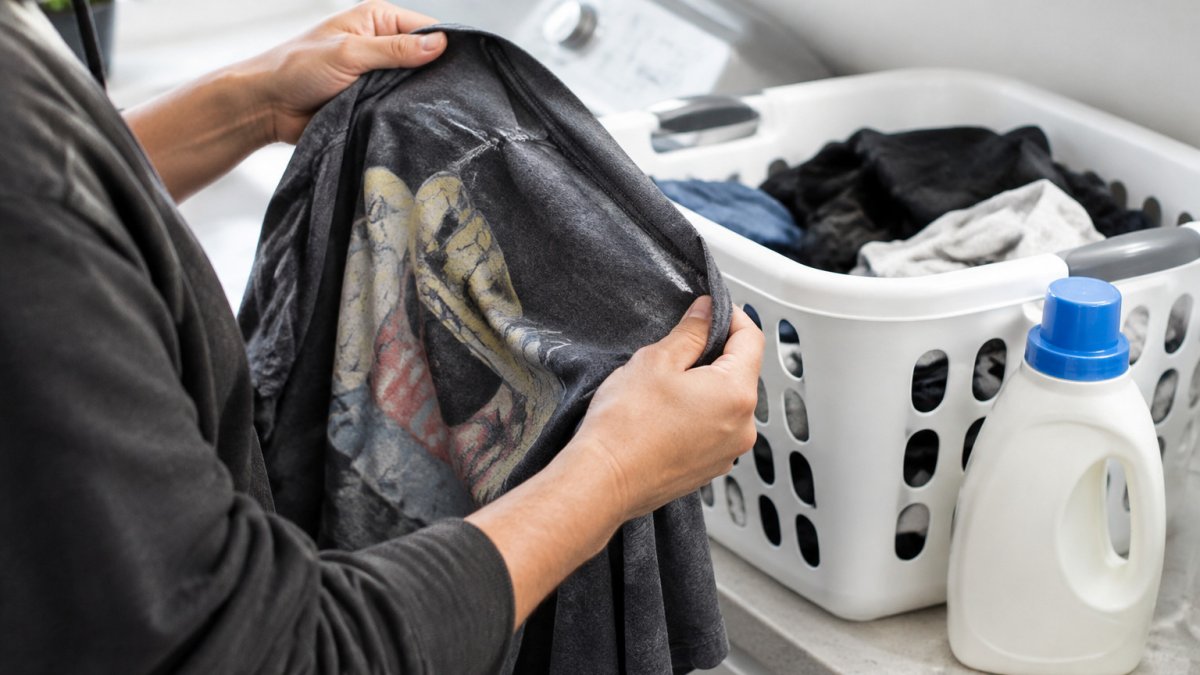
Hands turning a graphic tee inside out beside a laundry basket and a bottle of mild detergent, soft morning light
Simple habits protect the print:
- Turn the shirt inside out before washing
- Use cold or cool water
- Choose a gentle cycle and a mild detergent
- Skip bleach and fabric softener, which can coat and weaken the print
- Air-dry the shirt or use the lowest dryer setting
Watch out: direct ironing on the print is a fast way to crack it. Iron the shirt inside out, or skip the iron altogether.
Diagnosing Cracking, Peeling and Edge Lifting
Each type of damage points to a different cause, so look closely before you decide on a fix.
- Cracking across the design: usually the ink was stiff or under-cured, or the shirt was dried on high heat
- Peeling in a sheet: often a press problem, where the print never bonded fully
- Edge lifting: typically heat or abrasion at the seams, or a design with too much ink for the fabric
- Fading with peeling: frequent hot washes and harsh detergent
If the damage is in one spot, the cause is often a press or handling problem on that area. If it is spread across the whole print, look at your wash routine first.
Fixing a Peeling Shirt Decal or Logo
A peeling graphic falls into one of two situations, and the right response depends on which one you have. The first is a small lifted edge, usually a few millimeters at a corner or along a seam, where the print is still mostly bonded. The second is a sheet of ink or film that has separated across a large area. Repairs suit the first case far better than the second, and it helps to decide early which one you are dealing with.
For a small lifted edge on a heat-transfer or decal print, you can sometimes re-bond it. Lay the shirt flat on a hard surface, turn it inside out, and place a clean cloth or parchment sheet over the lifted area. Press with firm, even pressure for the time and temperature the transfer maker lists. Work in short passes, let the area cool completely, and check the bond by gently tugging the edge. Stop if the fabric starts to scorch, shine, or shift, because heat damage can do more harm than the lifted corner.
Re-pressing is unlikely to help prints that were under-cured in the first place, since heat can leave the ink stiff and cracked rather than truly bonded.
Trimming a lifted edge with scissors is tempting, but it usually looks worse in the long run. Cut ink or film leaves a hard, visible line, and the exposed edge often catches on fabric and lifts further in the wash. Trimming is only worth considering when the lifted piece is already loose and you accept a smaller design.
For larger peeling, a repair is rarely practical at home. Your better path is to contact the seller or printer. Before you do, gather your evidence: clear photos of the damage from several angles, a photo of the care label, the date of purchase, the date of the first wash, and a brief note of the wash settings you used. A specific report is easier for a seller or printer to act on than a general complaint.
When you write to the seller, ask a few targeted questions. Does the warranty or satisfaction policy cover peeling after one or two washes? Will they reprint the design, repair it, or replace the shirt? If the print failed after you followed their care instructions, say so directly, since that detail helps them decide whether the fault lies in the press, the ink, or your care routine.
Watch out: do not send a shirt back for a remedy after you have already re-pressed or trimmed it without telling the seller. Many printers can still diagnose the original fault, but unreported repairs can make a warranty claim harder to assess.
Why DTF Prints Peel After Washing
Direct-to-film (DTF) prints sit on a film layer that is pressed onto the fabric with an adhesive powder. If the film was not fully bonded, or the press was too short or too cool, the print can separate after washing. Wash habits matter here too. Hot water and high dryer heat can soften the adhesive and lift the edges.
When you order DTF shirts, ask the printer about their curing and pressing process. Good printers will explain how they bond the print and what care steps they recommend.
Your First-Wash Checklist and When to Ask TeeCeeTees for Help
Use this checklist the first time you wash a new custom shirt:
- Wait 24 to 48 hours after receiving the shirt before the first wash
- Turn the shirt inside out
- Wash in cold or cool water on a gentle cycle
- Use a mild detergent without bleach or softener
- Air-dry or use the lowest dryer heat
- Never iron directly on the print
If the print cracks, peels, or fades after you have followed these steps, contact the seller with photos and the wash details. TeeCeeTees can review the design, the press, and the care routine, and explain your options. Costs for repairs or reprints depend on the design and quantity, so check the TeeCeeTees website or request a quote for current pricing.
Get the most from your custom shirts by following these care steps from the start. TeeCeeTees creates original hand-drawn designs and offers personalized shirt customization, so you can wear art that lasts. Visit the TeeCeeTees website to browse the collection or request a custom design.
Frequently Asked Questions
Why does a custom shirt print peel after washing?
Peeling usually comes from ink or transfer that never fully cured, from a heat press set too low or run for too short a time, or from a print applied to a fabric that does not hold it well. Washing then finishes the job. Hot water, high dryer heat, bleach, fabric softener and abrasion from zippers or other clothes all weaken the bond between the print and the fabric. If the print lifted on the first wash, the problem may have started at the production stage rather than in the laundry.
Does turning a graphic shirt inside out prevent peeling?
Yes, turning the shirt inside out is one of the simplest protections. It keeps the print from rubbing against the drum, zipper, buttons and other garments, which are the main sources of abrasion. It also limits direct contact with detergent residue and lint. Inside-out washing does not fix a print that was under-cured or badly applied, but it slows down wear on a print that is sound. Combine it with a cold or cool wash, a mild detergent and air drying for the best results.
Can an iron fix a cracked or peeling shirt print?
An iron can sometimes re-bond a print that is only slightly lifted, but it is risky. Placing a cloth or parchment over the print and pressing gently with low heat is one cautious approach, though it carries risk. Never iron directly on plastisol or heat-transfer material, because it can scorch, melt or stick to the iron. Ironing cannot restore ink that has cracked or fully separated from the fabric. For those prints, contact the seller or printer to discuss your options.
Is peeling caused by poor print quality or incorrect washing?
It is usually a combination, but the two have different signatures. Peeling and cracking can have different causes. Problems with the print itself, such as under-cured ink or a weak transfer, can show up early in the wash cycle, while hot water, harsh detergent or high dryer heat tend to cause gradual wear over many washes. Contact TeeCeeTees with photos and your wash routine so the issue can be assessed.
